Похожее видео
×
How to take Screenshot on iQOO Phone - iqoo Z6 Screenshot iQoo 12 screenshot
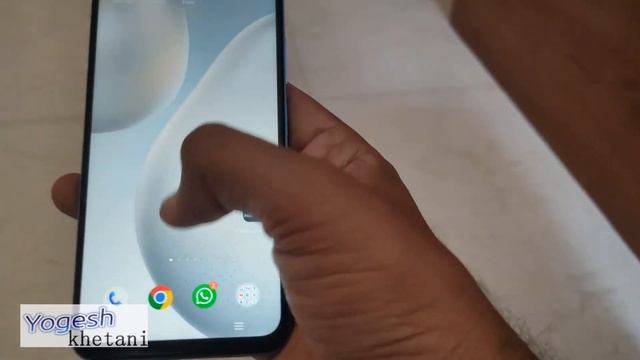
Видео: How to take Screenshot on iQOO Phone - iqoo Z6 Screenshot iQoo 12 screenshot

Tech Weekly Plus Plus Plus Plus Plus Plus Plus
Опубликовано: 30.01.2025 | Продолжительность: 00:01:49Screenshots are quite helpful on smartphones to share error on apps websites and receipts of payments. Here is a video guide on how to take Screenshot on iQOO Phone like Z12 Z7 Z7 Pro Z6 Z5 Neo 6 Neo 7 and other models. To take a screenshot on iQOO phones you can follow one of the methods below: Method 1: Locate the content or screen you want to capture on your iQOO phone. Press and hold the Volume Down button and the Power button simultaneously. Keep holding both buttons until you see a visual indication that the screenshot has been taken such as a screen flash or a shutter sound. Release the buttons and your screenshot will be saved in the phones gallery or screenshot folder. Method 2: Find the screen or content you want to capture on your iQOO phone. Swipe down the notification shade from the top of the screen. Look for the Screenshot option among the available quick settings and tap on it. Your iQOO phone will capture the screenshot and it will be saved in the gallery or screenshot folder. Please note that the exact method may vary slightly depending on the specific model of your iQOO phone or the version of its operating system. The methods mentioned above should work for most iQOO phone models. In this way you will not be required to have an app for this purpose. The guide is the same for all devices as they run on Android OS just the placement of buttons. Subscribe - iqoophone iqooz5 Compatibility: This guide should work on all the iQoo Mobile phones like - Z5 Z7 iQOO Z9x Neo 7 Neo 9 iQOO 12 other iQoo phones LikedSubscribeShare Our Network So thats how you can take screenshots. If you have any problems or are unable to take screenshots you can drop a comment and I will definitely help you out. Please let me know the problem happening upfront so that I can help you better and quickly.,

2025-02-05 в 02:02:54


2025-02-05 в 01:25:46

2026-04-19 в 16:42:38

2026-04-19 в 16:43:23

2026-04-19 в 17:23:44


2026-04-19 в 17:15:17
2026-04-19 в 17:32:58

2025-02-05 в 01:07:09
2025-02-05 в 01:22:11

2026-04-19 в 16:39:02
2025-02-05 в 01:44:27

2025-02-05 в 01:47:27


2025-02-05 в 01:53:33