Похожее видео
×
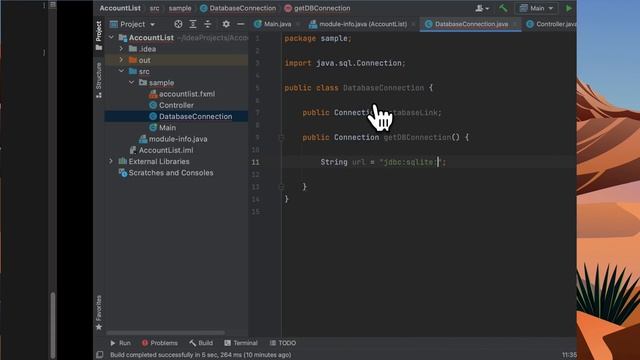
JavaFX Tutorial Add ListView items from SQLITE Database Table
Видео: JavaFX Tutorial Add ListView items from SQLITE Database Table
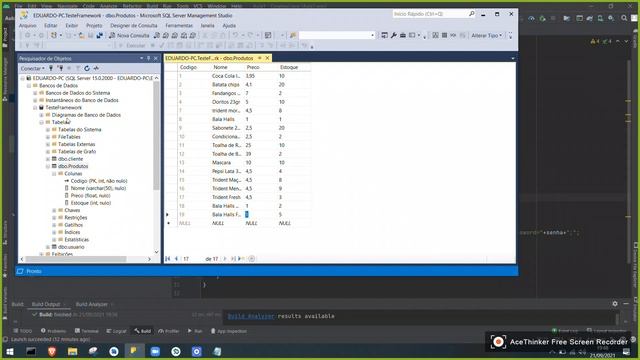
JavaFX Tutorial - JavaFX SQLITE JDBC - ListView add items from a Database Table. Develop and code in IntelliJ then design in Scene Builder and utilizing SQLITE database and table. In this video I am showing you how to connect to SQLITE using JDBC and add items to ListView using data from a SQLITE Database Table Also I show the table and data I used to make this ListView functional. Overall we created a basic SQLITE database connection then populate the ListView from it.. This JavaFX tutorial for beginners or just anyone interested. javafx tookootek LearnWithMe Table of Contents: 0:00 Introduction 0:38 SQLITE Database Create Table and Insert Data 1:09 IntelliJ - Create New Project and Config 1:23 Scene Builder - User Interface UI Design 1:04 IntelliJ IDEA - Code - Main.java Controller and DatabaseConnection Class 9:18 Outro Softwares Used: 1. Operating System - MacOS 2. Programming Language - JavaFX 3. UI Designer - Scene Builder 16.0.0 4. IDE - IntelliJ IDEA 2021.2.1 Community Edition 5. Database - SQLITE 3.35 SDKs 1. openSDK 16.0.1 2. SQLITE JDBC 3.36 3. JavaFX SDK Where to Download: 1. JavaFX 2. SQLITE Precompiled Binaries for Mac OS X x86 I have 3.36 - You can take the latest release 3. SQLITE JDBC Jar I have 3.36 - You can take the latest release 4. Scene Builder ,
2023-12-02 в 02:22:18
2023-12-02 в 02:45:44
2023-12-02 в 02:21:48

2026-04-21 в 22:53:06

2026-04-21 в 23:46:27

2026-04-21 в 21:40:54

2023-12-02 в 02:00:57
2023-12-02 в 02:14:42