
Похожее видео
×
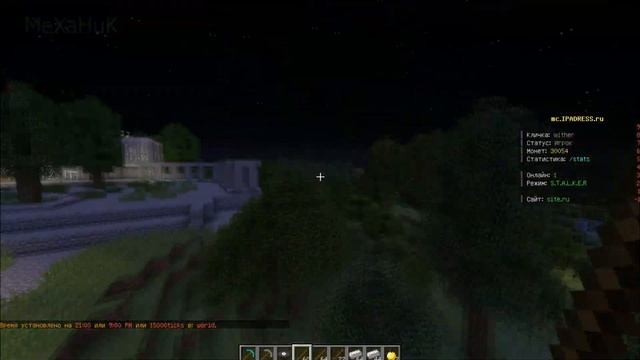
PC Tutorial-TT Server Maker Minecraft
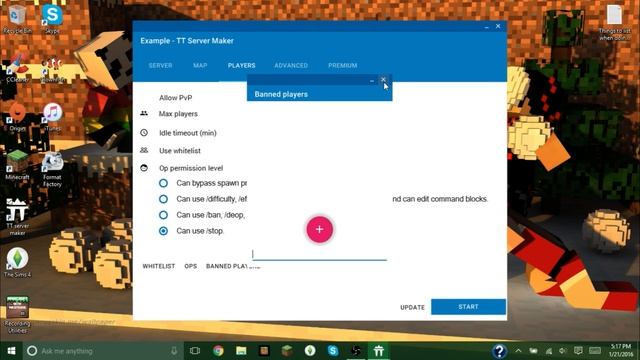
Видео: PC Tutorial-TT Server Maker Minecraft
This tutorial will teach you the basics on using this great programTT Server Creator for Minecraft PC Edition. DownloadForum: Direct Download Trick Dropbox Resource Packs: Basic Port Forwarding Help Video Coming Soon: This program is safe to run and use and hopefully works well for you. Because of its homemade codingcertain anti-virus programs may believe that it is bad or corrupt. You can ignore these warnings. Thanks For Watching! Disclaimer: IMr.Steavedo not own the program featured in this video. I cannot directly edit code or change things within this program. If you leave a question I will get back to you in 24-48 hours. Within that time i can attempt to help you solve problems or get more help for you directly from the creator. Recommended Specs Settings: PC Specs CPU: Intel Core i3 1.9 GHz Ram: 6 GB DDR3 Hard Drive Space Available 5 GB Required If you meet the criteria aboveI recommend using these settings. Recommended Settings Ram: 2 GB Dont allocate more than you have View Distance: 8-12 World: Flat If you have slow internet Max. Players 5-20 Depends on internet speeds To find your internet speeds use this tool. It is completely free and easy to use. speedtest.net will give you the most accurate results. I am not sponsored by them in any way. A descent Download is 5 Mbs. A descent Upload is 1-2 Mbs. To find your PC specsgo into File Explorer and go under the This PC tab. Right click your C: drive and select properties. Here all your main specs will be shown. This applies to Windows 788.110. Need more help? Go to the comments below. This video was not sponsored by any programcompany shown or mentioned.,
2026-04-20 в 13:08:39
2023-10-30 в 20:58:07

2026-04-20 в 13:43:01
2026-04-20 в 13:39:06



2023-10-30 в 22:13:47
2026-04-20 в 12:26:05
2023-10-30 в 21:31:55