
Похожее видео
×
FFXIV Settings Guide: System Configuration
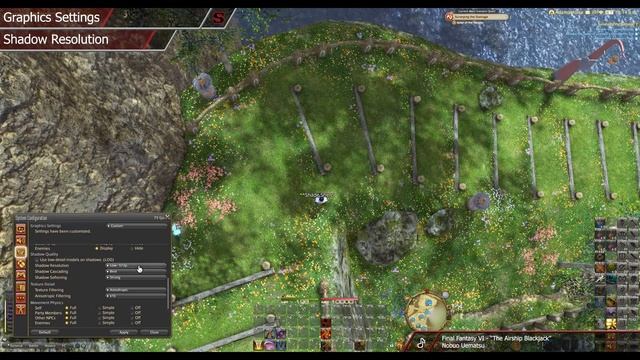
Видео: FFXIV Settings Guide: System Configuration
Shades Guide to Final Fantasy XIVs System Configuration menu. This video covers every setting in the entire menu as of patch 5.2 in the PC version of the game. There is a LOT of information here so please let me know if you have any questions! FFXIV Settings Guide ? SGS website Thanks for your support! ? Timeline ? 00:00 INTRO DISPLAY SETTINGS 01:45 Main Display 01:55 Screen Mode 03:00 Resolution 04:15 High Resolution UI Settings 04:35 Default UI Size 04:55 Full Screen Mode Gamma Correction 05:15 Character Lighting 05:25 Frame Rate 07:00 Limit frame rate when client is inactive 07:25 Limit FPS when away from keyboard SOUND SETTINGS 07:45 Play sounds when window is not active 09:10 Play music when mounted 09:25 Enable normal battle music 09:40 Enable city-state BGM in residential areas 10:05 Play system sounds while waiting for Duty Finder 10:20 Listening Position 10:35 Volume Settings 11:40 Player Effects Volume 12:00 Equalizer GRAPHICS SETTINGS 12:40 Enable wet surface effects 12:50 Disable Rendering of objects when not visible Occlusion Culling 13:25 Use low-detail models on distant objects LOD 14:45 Real-time Reflections 15:10 Edge Smoothing Anti-aliasing 15:25 Transparent Lighting Quality 15:45 Grass Quality 16:05 Parallax Occlusion 16:25 Tessellation 16:40 Glare 16:55 Map Resolution 17:10 Shadows 17:20 Use low-detail models on shadows LOD 17:50 Shadow Resolution 18:10 Shadow Cascading 18:25 Shadow Softening 18:45 Texture Filtering 18:55 Anisotropic Filtering 19:20 Movement Physics 20:10 Naturally darken the edges of the screen Limb Darkening 20:20 Blur the graphics around an object in motion Radial Blur 20:55 Screen Space Ambient Occlusion 21:25 Glare 21:55 Water Refraction 22:15 Enable depth of field cutscenes 22:50 Optimization tips MOUSE SETTINGS 24:30 Allow resolution changes via mouse drag 24:55 Limit mouse operation to game window 25:20 Mouse Camera Sensitivity 25:35 Expanded Mouse Functionality Settings GAMEPAD SETTINGS 26:20 Enable gamepad 26:25 Device 26:40 Gamepad Type 26:50 Keep gamepad enabled when client is inactive 27:00 Enable vibration 27:20 Enable L1L auto-run 27:45 Enable window zoom via R3 28:15 Enable text pasting with L1R1 28:35 Analog Stick Sensitivity 29:10 Enable virtual mouse 29:30 Calibration 29:45 Button Configuration 30:40 THEME SETTINGS OTHER SETTINGS 31:00 Screenshot Format 31:15 Screenshot Folder 31:20 Time Before Auto-AFK 31:35 Character and Object Quantity 32:00 Open Windows 32:15 Cutscene Audio 32:40 Switch to idling camera when auto-AFK activates 33:00 Switch online status to Camera Mode while active ACCESSIBILITY SETTINGS 33:20 Enable visual alerts 33:30 Enable color filtering 34:00 OUTRO ? Music Credits - Omen Final Fantasy VI - Nobuo Uematsu - Desert Land Final Fantasy Tactics - Hitoshi Sakimoto Masaharu Iwata - Land of Dwarves Final Fantasy IV - Nobuo Uematsu - The Returners Final Fantasy VI - Nobuo Uematsu - Apoplexy Final Fantasy Tactics - Hitoshi Sakimoto Masaharu Iwata - Where the Heart Is Final Fantasy XIV - Masayoshi Soken - Town Theme Final Fantasy IV - Nobuo Uematsu - The Phantom Forest Final Fantasy VI - Nobuo Uematsu - Decisive Battle Final Fantasy Tactics - Hitoshi Sakimoto Masaharu Iwata - Dungeon Final Fantasy IV - Nobuo Uematsu - The Airship Blackjack Final Fantasy VI - Nobuo Uematsu - Chapel Final Fantasy Tactics - Hitoshi Sakimoto Masaharu Iwata - Main Theme of Final Fantasy IV Final Fantasy IV - Nobuo Uematsu - The Mines of Narshe Final Fantasy VI - Nobuo Uematsu - Run Past Through the Plain Final Fantasy Tactics - Hitoshi Sakimoto Masaharu Iwata - The Land of Summons Final Fantasy IV - Nobuo Uematsu - Battle Final Fantasy VI - Nobuo Uematsu - Under the Stars Final Fantasy Tactics - Hitoshi Sakimoto Masaharu Iwata - Kingdom of Baron Final Fantasy IV - Nobuo Uematsu - Terras Theme Final Fantasy VI - Nobuo Uematsu,