
Похожее видео
×
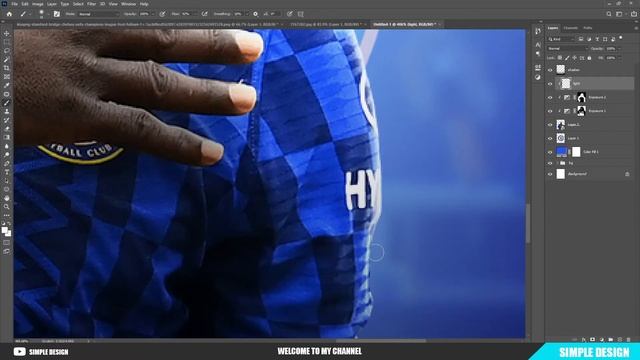
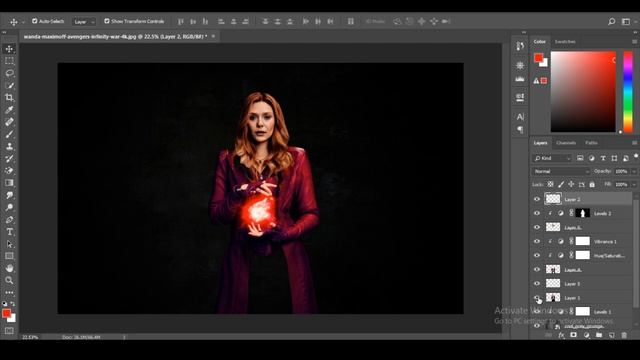
Fake Motion Blur Effect Photoshop Tutorial

Видео: Fake Motion Blur Effect Photoshop Tutorial
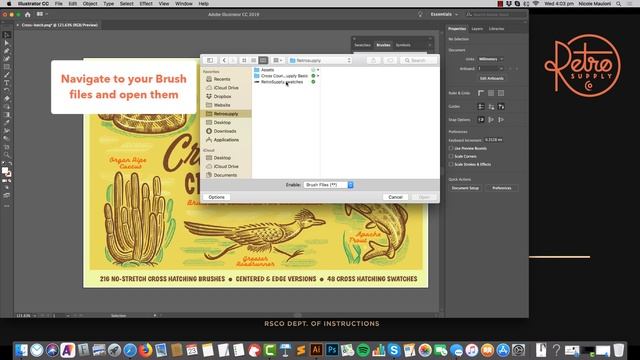
Motion capture may be difficult. Photographic methods such as panning will improve your feeling of motion and speed. However this approach can be difficult to perfect. Today well teach you how to include motion in your images. This is accomplished with the easy application of motion blur in Photoshop. Fake Motion Blur Effect Photoshop Tutorial If you enjoyed this video please leave a LIKE and SUBSCRIBE for more videos. SUBSCRIBE For More Photoshop Tutorials: Check out our Blog: Get Photoshop here! ________________________________ Download Images Picture by Matt Heaton on Unsplash ----------------------------------- More Photoshop Tutorials: How to Put a Design on a Box in Photoshop Vanishing Point How to Create a Planet in Photoshop Simple Photoshop Tutorial How to Make a Gradient Swirl in Photoshop How to Change Eye Color in Photoshop in just 1 Minute How to Create a Glassmorphism Effect in Photoshop - Simple Shoe Ad Type Text in Circle Simple Photoshop Tutorial Create a Vector Heart in Adobe Photoshop How to Make an HDR Effect in Photoshop in 1 Minute How to Turn Photos into Cartoon Effect in Photoshop Simple Photoshop Tutorial Leaves Text Effect Simple Photoshop Tutorial How to Make a Neon Glowing Sneakers Photo Effect Simple Photoshop Tutorial How to Outline a Picture Simple Photoshop Tutorial Transparent Text Effect Simple Photoshop Tutorial ----------------------------------- Music from Uppbeat free for Creators!: License code: IG68YFZFUDEWMFVJ ----------------------------------- CONNECT WITH US! Blog: mypstips.com Instagram: instagram.commypstips Pinterest: pinterest.co.krmypstips Medium: medium.comMypstips,
2023-12-07 в 22:50:00


2026-04-21 в 02:31:31

2026-04-21 в 02:18:14


2023-12-07 в 21:16:34
2023-12-07 в 23:44:25

2023-12-07 в 20:50:44
2026-04-21 в 01:48:27
2023-12-07 в 20:11:26

2023-12-07 в 19:46:31