
Похожее видео
×
Quick Start: Adobe Substance 3D Sampler
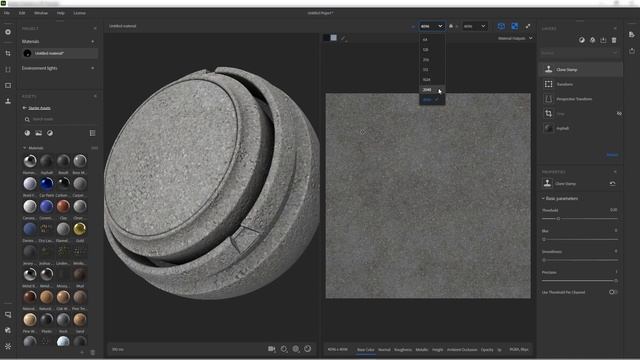
Видео: Quick Start: Adobe Substance 3D Sampler
In this tutorial well explore Substance 3D Sampler starting with its features and user interface. Well cover setting panels accessing ready-to-go assets creating a simple pavement with blending layers and effects and exporting materials as smart materials and individual maps. I hope you find this video useful! - Support this channel via - Check out my Substance3D playlist via: - You can access our shop via: - Follow me on: Bookmarks: 00:00 Quick Start 00:30 Why Adobe 3D Sampler? 01:47 Getting Started 03: 28 Settings Panel 10:41 Asset Panel 15:35 Viewports 20:08 A Case Study 26:50 Blending Layers 34:00 Exporting Music by: Vlog No Copyright Music No Copyright Music sarkamari Substance3D sarkamari,


2025-02-28 в 07:51:14
2025-02-28 в 07:36:45

2026-04-21 в 19:31:25
2025-02-28 в 08:45:28
2025-02-28 в 08:17:12
2026-04-21 в 19:28:28
2026-04-21 в 19:28:28

2025-02-28 в 07:14:18
2025-02-28 в 07:45:41
2026-04-21 в 19:28:31

2026-04-21 в 19:28:27