Похожее видео
×
Kivy Tutorial 12 - Converting Kivy to Android APK Buildozer
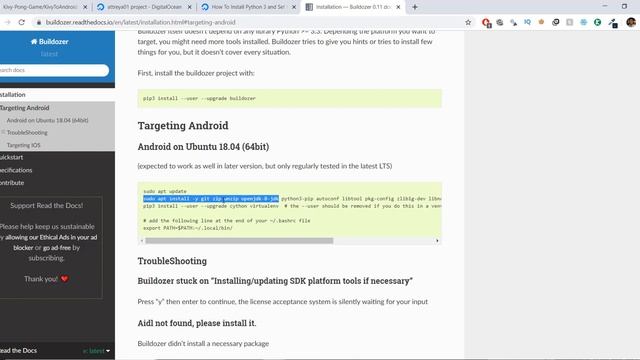
Видео: Kivy Tutorial 12 - Converting Kivy to Android APK Buildozer
In this video we will be converting our Kivy desktop app to an android app. We will be doing this by using buildozer which is used to convert Kivy files to apk. Steps to convert Kivy to Android APK - Note - If you are using Linux or Mac. Open up your terminal and directly jump to step number 4 1 Signup on Digital Ocean - Use this link to get 100 free 2 Create a Droplet 3 Open up terminal Access Console and login using you One-Time Password 4 Installing Python and Virtual Environment 5 Install buildozer - 6 Install Filezilla skip if Linux or Mac - 7 Connect Filzilla to server skip if Linux or Mac 8 Upload your kivy folder to enviroments folder in linuxmac just go to your kivy folder using terminal 9 buildozer init 10 buildozer -v android debug 11 Using Filezilla download the apk in your bin directory 12 Copy this apk file to your phone 13 Run it. You need to enable install apk with unknown sources Source Code - Next video - Create the Simple Paint App Full playlist - Subscribe - Website - www.buildwithpython.com Instagram - python kivy pythongui,

2023-12-04 в 03:48:45



2023-12-04 в 04:12:13



2026-04-21 в 08:55:45
2023-12-04 в 03:37:44



2023-12-04 в 03:33:50
2023-12-04 в 03:45:32
2023-12-04 в 03:22:39