
Похожее видео
×
SSIS JSON Source - Read API JSON file or Web Service URL REST ODATA
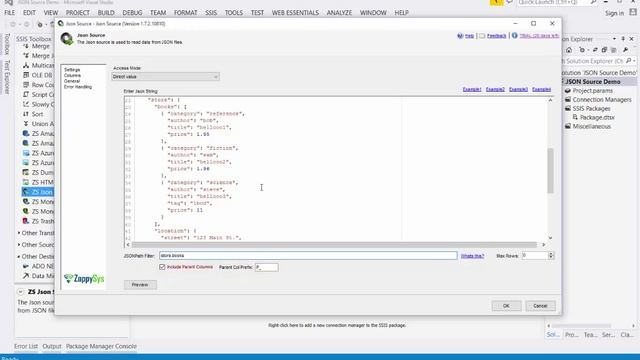
Видео: SSIS JSON Source - Read API JSON file or Web Service URL REST ODATA
WATCH NEW VIDEO: CLICK HERE This video is made for old version. Click above link to watch for NEW JSON Source. Learn how to Read JSON Data in SSIS from API RESTful Web Service or JSON Files. For more info: Also check Call REST API : Parsing Nested Array: API Pagination: Introduction JSON Source Connector can be used to extract and output JSON data stored in local JSON files JSON data coming from REST API web service calls Web URL or direct JSON String variables or DB columns. JSON component also supports JSONPath to filter data from nested arraysub-documents. This component is optimized to work with very large files. Features Read data from JSON files or RESTful API services such as Twitter Zendesk De-normalize nested JSON into a flat document just like a regular database table The unparalleled performance with large file support See how we processed 3 million rows in 3 mins Extract nested hierarchyarray using JSONPath expression see also: Extract multiple arrays using JSON Parser Transform Support for OAuth 1.0 and 2.0 security standard which is adopted by major cloud services e.g. Google API Facebook Salesforce Dynamics CRM Office 365 MailChimp and many more.. Call OData format Read more Call Amazon AWS API e.g. EC2 API Gateway Lambda and more Call API using Dynamic Token Authenticate or Basic authorization i.e. UserID Password Looping through multiple files using wildcard pattern e.g. .json. Support for Array Flattening Child Array Items as Columns HTTP Request with Custom Headers. Support for HMAC Authentication SHA256 SHA512 MD5 Allow APIs like Azure CosmosDB DocumentDB REST API Pagination Support Loop through multiple requests explained here and here Support for 2D arrays and Complex Transformation See this article and this for Google BigQuery Support for Pivoting Convert Columns to Rows Ability to output and indent raw JSON from inner array HTTPS TLS 1.2 Support for more secure communication Support for passing cookies Support for Proxy Support for SQL Server 2019 2017 2016 2014 2012 3264 bit and now Azure Data Factory,