Похожее видео
×
How to open a file on Start up in Windows 10
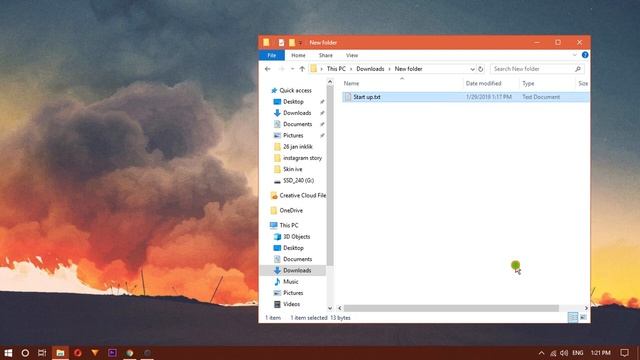
Видео: How to open a file on Start up in Windows 10
In this video im going to show you How to open a file on Start up in Windows 10. In order to open a file on start up you will need to add it to the Start up folder. Technically you can add the original file however we strongly advise against it. The start up folder is no where to save a file. Instead find the file that you want to open on start up right-click it and from the context menu select Create Shortcut. Once your Shortcut is created open another Window and paste this Address on the address bar. You can copy it from the description below. A new folder will open here Now move your shortcut file that you just created to this folder. Thats it now everytime you start your computer the file will also open up.,

2024-11-01 в 21:14:12


2024-11-01 в 20:28:53




2024-11-01 в 20:57:59



2024-11-01 в 20:48:26

2024-11-01 в 21:12:24


2024-11-01 в 21:09:30
2026-04-20 в 13:48:47

2024-11-01 в 20:55:50