Похожее видео
×
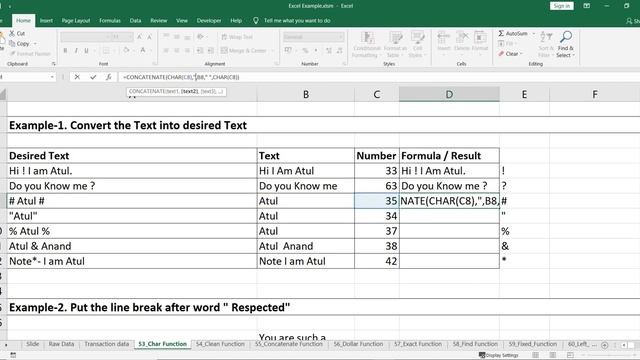
How to use Char Function In Excel Use Non Printable characters in Excel Char Function With Exampl
Видео: How to use Char Function In Excel Use Non Printable characters in Excel Char Function With Exampl

Эксель: решение типичных задач в несколько шагов
Опубликовано: 06.12.2023 | Продолжительность: 00:18:33CHAR Function The CHAR function is categorized under Excel Text Functions. It returns a character specified by a number. As a analyst the CHAR function is useful in coding page numbers received from other files into characters or the another Example could be something like this - suppose you wish to insert a line break into text then you can use this character function so in simpler words we can say that The Excel CHAR function returns a character when a valid character code is given. CHAR can be used to specify characters that are hard to enter in a formula. For example CHAR10 returns a line break on Windows while CHAR13 returns a line break on the Mac CHARnumber The CHAR function uses the following argument: Number required argument This is a number between 1 and 255 specifying which character we want. The character is from the character set used by our computer. The character set may vary across different operating systems and so for a specific number the function may return different results on different computers. Excel Playlist:- SQL Playlist:- Google Data Studio playlist:- __________________________________________________________________________________________________ You can follow us on the below social media handles:- Blog: - Facebook:- Instagram: - LinkedIn: - Twitter: - ,