Питоновский гений программирования - видео - все видео
Новые видео из канала RuTube на сегодня - 18 April 2026 г.
Новые видео из канала RuTube на сегодня - 18 April 2026 г.
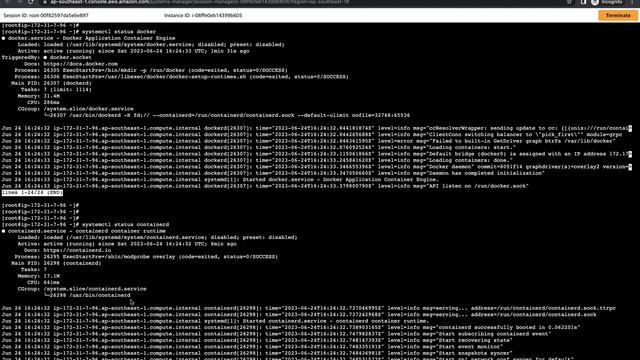
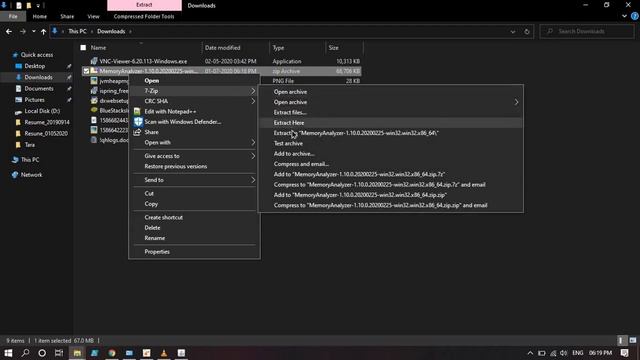
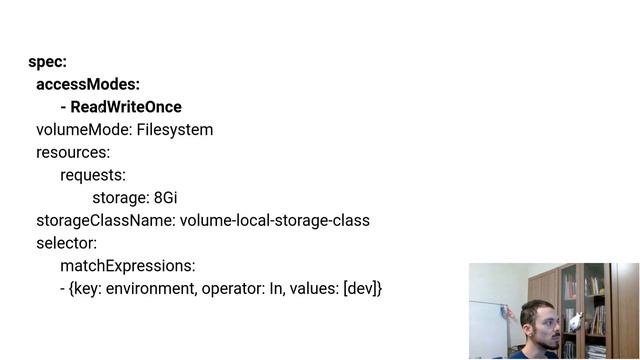
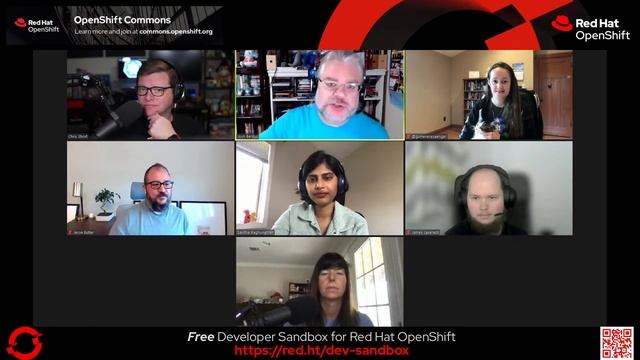
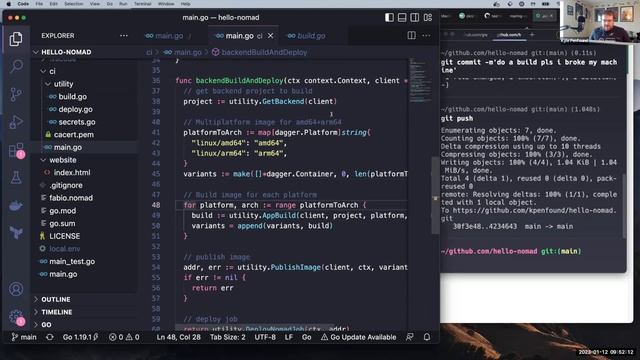
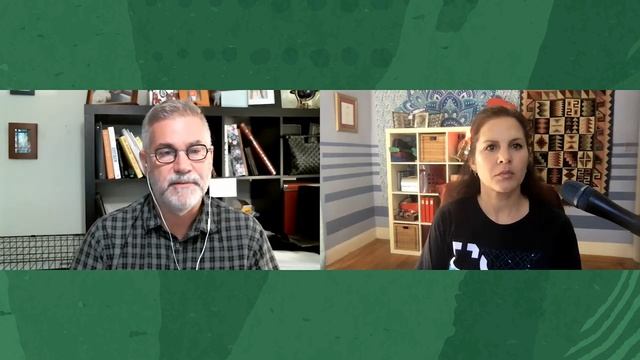
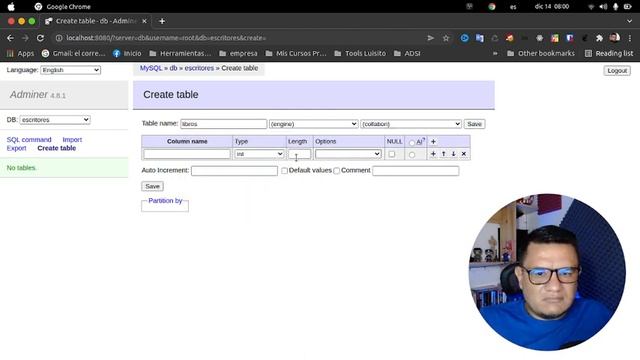
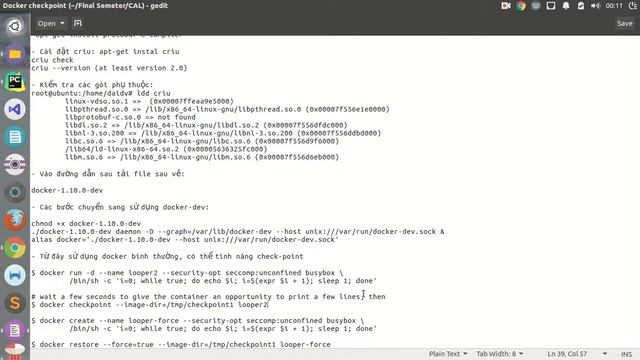
Learn DevOps Engineering with Kubernetes and Docker: Course:- Learn DevOps Engineering with Kubernetes and Docker Welcome to this wonderful course, Docker. Docker is a software platform for building applications based on containers small and lightweight execution environments that make shared use of the operating system kernel but otherwise run in isolation from one another. Docker packages software into standardized units called containers that have everything the software needs to run including libraries, system tools, code, and runtime. Containers simplify the delivery of distributed applications and have become increasingly popular as organizations shift to cloud-native development and hybrid multi-cloud environments. Today, Docker, and its open-source father now named Moby, is bigger than ever. According to Docker, over 3.5 million applications have been placed in containers using Docker technology and over 37 billion containerized applications have been downloaded. Prerequisite for this course: Requirements:- i. Basic understanding of terminal. ii. Usage of command line. In this course, you will cover the following topics: i. Introduction to DevOps ii. Different stages in DevOps iii. Docker Architecture iv. Images and containers v. Introduction to Docker file and volume vi. Introduction to Orchestration and AWS ECS vii. Introduction to Kubernetes viii. Introduction to Docker swarm. Who this course is for: Any Student who wants to work as Software developers. Anyone who want to be a Sysadmins. Cloud Infrastructure Engineers. Anyone working as Cloud Developer. What you'll learn:- The skills to be learnt in this course are but not limited to:- a) Install and configure Kubernetes (on your laptop/desktop or production grade cluster on AWS) b) Use Docker Client (with kubernetes), kubeadm, kops, or minikube to setup your cluster c) Be able to run stateless and stateful applications on Kubernetes d) Use Healthchecks, Secrets, ConfigMaps, placement strategies using Node/Pod affinity / anti-affinity e) Use StatefulSets to deploy a Cassandra cluster on Kubernetes f) Add users, set quotas/limits, do node maintenance, setup monitoring g) Use Volumes to provide persistence to your containers h)Be able to scale your apps using metrics i) Package applications with Helm and write your own Helm charts for your applications j) Automatically build and deploy your own Helm Charts using Jenkins k) Install and use kubeless to run functions (Serverless) on Kubernetes l) Install and use Istio to deploy a service mesh on Kubernetes Keep learning Week 3 Lecture 6 Services © Edutech Academy 2022This video is about backend working of Container. Is Container a process? Working of containerd and runc. #aws #kubernetes #container #jobs #hindi #freshers #containerd #runc Do check out this video? Prometheus:- Monitor Aws Ec2 Node Exporter https://youtu.be/iC_xZDHvd_Ihttp://bit.ly/k8s110-burndownFull Transcript: https://www.hashicorp.com/resources/the-hitchhiker-s-guide-to-terraform-your-infrastructure/ When you start using Terraform it can be confusing, you might fall into issues and see yourself trapped into a problem that can result in an infrastructure not fully automated or error-prone. This talk will show you best practices and tricks I have learned while building a Kubernetes infrastructure in AWS using Terraform. Speaker: Fernanda Martins - If you liked this video and want to see more from HashiCorp, subscribe to our channel: https://www.youtube.com/c/HashiCorp?sub_confirmation=1 To learn more, visit our hands-on interactive lab environment, HashiCorp Learn: https://learn.hashicorp.com/ HashiCorp is the leader in multi-cloud infrastructure automation software. The HashiCorp software suite enables organizations to adopt consistent workflows to provision, secure, connect, and run any infrastructure for any application. HashiCorp open source tools Vagrant, Packer, Terraform, Vault, Consul, Nomad, Boundary, and Waypoint are downloaded tens of millions of times each year and are broadly adopted by the Global 2000. Enterprise versions of these products enhance the open source tools with features that promote collaboration, operations, governance, and multi-data center functionality. For more information, visit: www.hashicorp.com or follow us on social media: Twitter: @hashicorp LinkedIn: https://www.linkedin.com/company/hashicorp Facebook: https://www.facebook.com/HashiCorp如何通过kubeadm安装v1.23版本Kubernetes cluster ?带你手把手的安装部署3节点Kubernetes cluster。The Eclipse Memory Analyzer is a fast and feature-rich Java heap analyzer that helps you find memory leaks and reduce memory consumption. Use the Memory Analyzer to analyze productive heap dumps with hundreds of millions of objects, quickly calculate the retained sizes of objects, see who is preventing the Garbage Collector from collecting objects, run a report to automatically extract leak suspects.Nesse vídeo vamos ver os 4 PASSOS para mapear um volume local no Kubernetes. Vou te mostrar na prática como é simples e rápido usar esse tipo de volume persistente no seu deployment. ❓ Ficou alguma dúvida? ⚡ Encontrou algum problema? ? Quer pedir um vídeo sobre algum tema específico? Comenta aí! ? Direto ao Ponto: 00:00 | Inscreva-se 00:15 | Passo 1 - Definindo a Storage Class 04:00 | Passo 2 - Definindo o Volume 10:05 | Passo 3 - Criando a Claim para Utilizar o Volume 15:28 | Passo 4 - Criando o Deployment que Vai Usar o Volume #canalBL2 #volume local kubernetes #kubernetes local storage #storage class #volume k8s #volume kubernetes #persistent volume class #persistent volume claim #kubernetes persistent volumes #persistent volume vs persistent volume claim #mapear volume kubernetes #pv vs pvc ? Repositórios da Série Kubernetes Para TODOS!: https://github.com/canalbl2/kubernetes-para-todos/ https://gitlab.com/canalbl2/kubernetes-para-todos/ ? Outros Vídeos Interessantes do Canal: * Lens: Gerencie o Kubernetes de modo FÁCIL e EFICIENTE! (https://youtu.be/YSu6_xGTIs8) * Deployment: Entendendo o arquivo YAML (https://youtu.be/Xka48o8Sjy8) * Kubernetes: O que é e para que serve? (https://youtu.be/-IPmRhVzXzI) * Containers: Para que servem, suas vantagens e quando utilizá-los (https://youtu.be/63cOoaq2VQc) ▶️ Série Kubernetes para TODOS!: https://youtube.com/playlist?list=PLp3of5KPpStvCBd1SDBkxIxcomE30Mlym ? Link do Canal BL2: https://www.youtube.com/c/bl2-canal ?️ Minhas Redes: LinkedIn: https://www.linkedin.com/in/bllopes/I've been using the notion for a while now and I find it really cool for you all to take note and keep track on your learning/working. ★彡Cloud Tech Thursday explores the full modern open source cloud stack, from hardware to serverless. Learn about new ideas, projects, and releases around Kubernetes, OpenStack, hybrid cloud enablement, and many other topics. Guests: Savitha Raghunathan, James Laverack, Jesse Butler, Guinevere SaengerReaper is an open source tool that aims to schedule and orchestrate repairs of Apache Cassandra clusters. It improves the existing nodetool repair process by Splitting repair jobs into smaller tunable segments. Handling back-pressure through monitoring running repairs and pending compactions. Adding ability to pause or cancel repairs and track progress precisely Reaper Installation To install reaper firstly we must have cassandra running on our machine. Then visit this website "http://cassandra-reaper.io/docs/" to know about the detailed documentation I downloaded rpm from the below link: Reaper download wget https://github.com/thelastpickle/cassandra-reaper/releases/download/2.3.1/reaper-2.3.1-1.x86_64.rpm To run the downloaded reaper first run below command sudo rpm -ivh reaper-2.3.1-1.x86_64.rpm Then in "/etc/cassandra-reaper" location we will see one cassandra-reaper.yaml file and configs folder In configs folder open cassandra-reaper-cassandra.yaml and make necessary changes. create KEYSPACE reaper_db WITH replication = {'class': 'SimpleStrategy', 'replication_factor': '1'}; After that create a softlink of the above file to cassandra.yaml. mv cassandra-reaper.yaml cassandra-reaper.yaml.bkp ln -s /etc/cassandra-reaper/configs/cassandra-reaper-cassandra.yaml /etc/cassandra-reaper/cassandra-reaper.yaml After that just start it by using the following command "sudo service cassandra-reaper start" Check it's status by using "sudo service cassandra-reaper status" Reaper also gives us a webui to schedule repairs easily. Then finally access the webui using "http://ReaperIP:8080/webui" Now schedule repairs by using cluster name. My blog: https://kkrtutorial.blogspot.comIn this demo, Kyle will write a CD pipeline from scratch in Go. The pipeline will use Vault as its secret engine to build and push an OCI image and update a Nomad job to run the new image. To demonstrate the portability, this will run locally, in GitHub actions, and in CircleCI without any modification needed between each platform.This demo shows a Cloudify Manager installed on a clean OpenStack environment and a Kubernetes cluster being deployed with Cloudify on the OpenStack cloud. Visit: https://cloudify.co https://cloudify.co/contact/Oracle Verrazzano Enterprise Container Platform lets developers and DevOps engineers deploy, secure, and manage container workloads, including microservices. Verrazzano is built from a familiar collection of open-source components and supports Kubernetes clusters running on-premises or in the cloud. In this interview with Dave Cabelus, Verrazzano product manager, Oracle developer brand journalist Alexa Morales explores how this new container platform pulls together the "winners" from the last few years on the CNCF Kubernetes ecosystem. Track listing 0:00 Intro 0:39 How did you choose the CNCF tools in Verrazzano? 1:14 Do you scan and package those container images? 1:22 Doing the legwork and writing new open source components 1:41 How you can contribute to Verrazzano 1:55 Watching tools emerge from KubeCon and Grafana's big win 2:35 Open source is gold dust 2:40 Of Prometheus, Rancher, Istio, Elastic Search, Grafana, Kibana and more, which stands out? 3:53 Stunning dashboards keep apps alive in the cloud 5:11 Why did you choose the Open Application Model? 6:05 Why not create a proprietary modeling standard? 6:44 Open Application Model and the Verrazzano UI 8:00 How the Kubernetes cluster and node model lets applications stay healthy 9:19 What can go wrong in terms of security? 10:47 How to get started and install the operator 11:36 Verrazzano is not just for Java or WebLogic 12:09 Bob's Bookstore example 12:47 Weaving together Oracle open source projects including Helidon #Kubernetes #DevOps #Java Verrazzano Enterprise Container Platform https://verrazzano.io Verrazzano on GitHub https://github.com/verrazzano/verrazzano At KubeCon 2018, Kubernetes Lifts Cloud Native Coders To New Heights https://www.forbes.com/sites/oracle/2018/12/27/at-kubecon-2018-kubernetes-lifts-cloud-native-coders-to-new-heightsHow to Install Maven on mac OS If you are new to mac OS or maven this video will be helpful. Maven Download download the Binary Zip file copy the downloaded folder to a location open bash_profile export M2_HOME=/Users/xxxx/path_to_folder/apache-maven-3.6.3 export PATH=$PATH:$M2_HOME/bin mvn -version Apache Maven 3.6.3 (cecedd343002696d0abb50b32b541b8a6ba2883f) Maven home: /Users/xxxx/path_to_folder/apache-maven-3.6.3 Java version: 13.0.2, vendor: Oracle Corporation, runtime: /Library/Java/JavaVirtualMachines/jdk-13.0.2.jdk/Contents/Home Default locale: en_US, platform encoding: UTF-8 OS name: "mac os x", version: "10.15.3", arch: "x86_64", family: "mac"In this video, we install docker and our own private block explorer called mempool.space. I give you a basic understanding of what it shows. Note: Your docker-compose.yml file should read ELECTRUM_TLS_ENABLED: "true"Quieres instalar mysql y que con un mismo archivo te funcione en cualquier sistema operativo? Bueno en este corto tutorial vamos a instalar una base de datos y el adminer en cualquier sistema operativo sin necesidad de descargar instaladores y hacer configuraciones complicadas. Link repositorio = https://github.com/legarrod/bd-mysql-with-dockerFOSDEM 2018 Hacking conference #hacking, #hackers, #infosec, #opsec, #IT, #securityDevOps & SysAdmins: Reading Docker metrics in machine readable format Helpful? Please support me on Patreon: https://www.patreon.com/roelvandepaar With thanks & praise to God, and with thanks to the many people who have made this project possible! | Content (except music & images) licensed under CC BY-SA https://meta.stackexchange.com/help/licensing | Music: https://www.bensound.com/licensing | Images: https://stocksnap.io/license & others | With thanks to user Veros K. (serverfault.com/users/395345), user 030 (serverfault.com/users/215599), and the Stack Exchange Network (serverfault.com/questions/832095). Trademarks are property of their respective owners. Disclaimer: All information is provided "AS IS" without warranty of any kind. You are responsible for your own actions. Please contact me if anything is amiss at Roel D.OT VandePaar A.T gmail.comGet a Plex Pass: http://lon.tv/plexpass - Plex dropped not one but two new smartphone apps for Plex Pass users this month. Plex Dash allows for managing your Plex server from a phone or tablet, and the Plexamp music player offers a great new way to experience music on your phone or PC. See more Plex: http://lon.tv/plexhdhr and subscribe! http://lon.tv/s VIDEO INDEX: 0:00 - Intro 00:41 - Plex Dash 01:59 - Item History 02:24 - Item History Edits 03:00 - Playback History 03:17 - Library Options 05:24 - Server Performance Monitoring 06:31 - Plex Dash Conclusion 07:26 - Plex Amp Overview 08:23 - Recent Plays 09:46 - Continuous Playback 10:48 - Offline Listening Options 12:03 - Aural Fixations 12:41 - Mix Builder 13:28 - Podcast Integration 14:08 - Tidal Integration 14:32 - Quality Settings 15:17 - Download Rates 15:45 - Audio Processing 16:08 - Radio Settings 16:45 - Cache Settings 17:34 - PlexAmp on Desktop Subscribe to my email list to get a weekly digest of upcoming videos! - http://lon.tv/email See my second channel for supplementary content : http://lon.tv/extras Join the Facebook group to connect with me and other viewers! http://lon.tv/facebookgroup Visit the Lon.TV store to purchase some of my previously reviewed items! http://lon.tv/store Read more about my transparency and disclaimers: http://lon.tv/disclosures Want to chat with other fans of the channel? Visit our Facebook Group! http://lon.tv/facebookgroup Want to help the channel? Start a Member subscription or give a one time tip! http://lon.tv/support or contribute via Venmo! lon@lon.tv Follow me on Facebook! http://facebook.com/lonreviewstech Follow me on Twitter! http://twitter.com/lonseidman Catch my longer interviews and wrap-ups in audio form on my podcast! http://lon.tv/itunes http://lon.tv/stitcher or the feed at http://lon.tv/podcast/feed.xml We are a participant in the Amazon Services LLC Associates Program, an affiliate advertising program designed to provide a means for us to earn fees by linking to Amazon.com and affiliated sites.